Update Script: Recreate All Services
Location: /mnt/pool01/homelab/services/scripts/recreate-all.sh
Once the latest Docker images have been downloaded to the host (via the Pull All script), this script handles the actual deployment. It gracefully stops the outdated containers and spins up fresh ones using the new images.
View the Script
Expand to view script contents
#!/bin/bash
set -e # Exit immediately if any command fails

echo "--- 🐳 Forcibly Re-creating All Docker Stacks ---"
echo "This will take a few minutes as all containers are rebuilt..."
echo ""

# Define the absolute path to our stacks
BASE_DIR="/mnt/pool01/homelab/services"

# Define Sub-Stack Paths for cleaner code
GATEWAY="$BASE_DIR/gateway-stack"
OPS="$BASE_DIR/ops-stack"
MEDIA="$BASE_DIR/media-stack"
MON="$BASE_DIR/mon-stack"

# --- Step 1: Core & Security Infrastructure ---
# Order: Tailscale (Net) -> VoidAuth (Auth) -> CrowdSec (Security) -> Caddy (Ingress)

echo "[1/10] Re-creating Tailscale (Mesh VPN)..."
cd "$GATEWAY/tailscale" && docker compose up -d --force-recreate

echo "[2/10] Re-creating VoidAuth (SSO Identity)..."
cd "$GATEWAY/voidauth" && docker compose up -d --force-recreate

echo "[3/10] Re-creating Gotify (Notifications)..."
cd "$OPS/gotify" && docker compose up -d --force-recreate

echo "[4/10] Re-creating CrowdSec (Security Brain)..."
cd "$GATEWAY/crowdsec" && docker compose up -d --force-recreate

echo "[5/10] Re-creating Caddy (Reverse Proxy)..."
cd "$GATEWAY/caddy" && docker compose up -d --force-recreate

# --- Step 2: Monitoring & Management ---
# We do this early so the Socket Proxy is ready if other apps need it

echo "[6/10] Re-creating Monitoring Stack (Homepage, Socket Proxy, Beszel)..."
cd "$MON" && docker compose up -d --force-recreate

# --- Step 3: Media Core ---

echo "[7/10] Re-creating Jellyfin Stack (Media & Requests)..."
cd "$MEDIA/jellyfin" && docker compose up -d --force-recreate

# --- Step 4: Automation Engine ---

echo "[8/10] Re-creating VPN-ARR-Stack (Downloads & Managers)..."
cd "$MEDIA/vpn-arr-stack" && docker compose up -d --force-recreate

# --- Step 5: Analytics & Backups ---

echo "[9/10] Re-creating GoAccess (Logs Analytics)..."
cd "$OPS/goaccess" && docker compose up -d --force-recreate

echo "[10/10] Re-creating Kopia (Backups)..."
cd "$OPS/kopia" && docker compose up -d --force-recreate

# --- Step 6: Housekeeping ---
echo ""
echo "🧹 Cleaning up old image layers..."
docker image prune -f

echo ""
echo "🎉 All stacks re-created successfully! System is fresh."
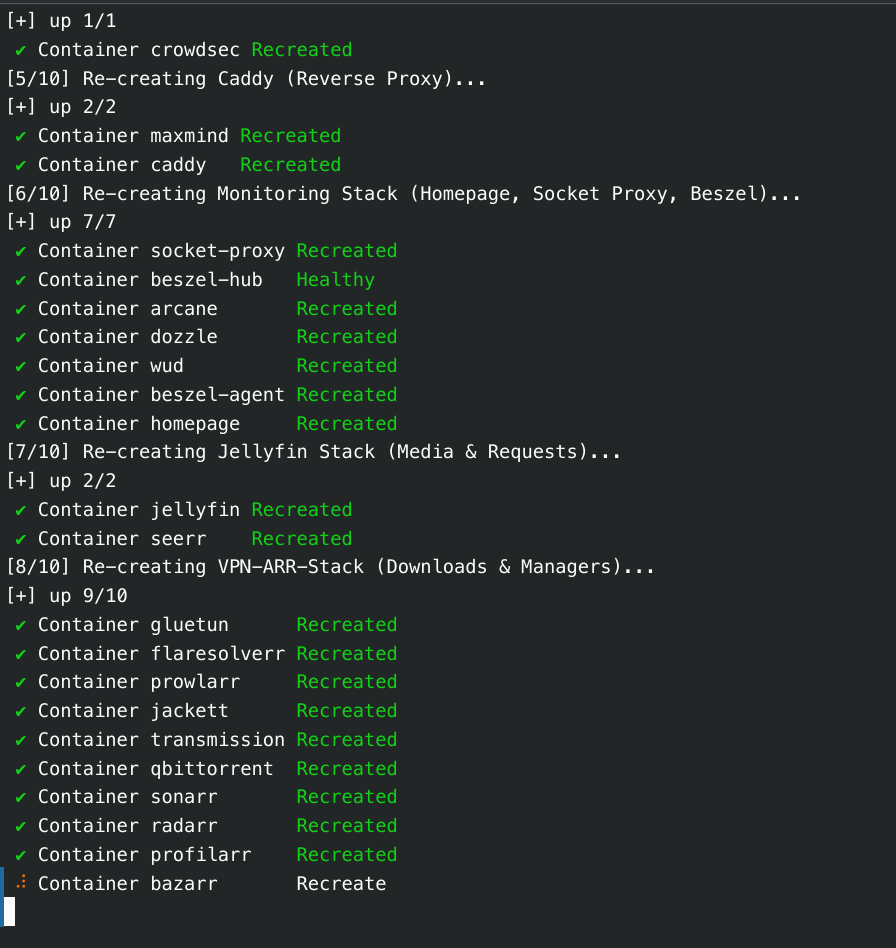
Run the script from terminal:
cd /mnt/pool01/homelab/services/scripts
./recreate-all.sh
Notes
-
Fail-Safe Execution (
set -e): Immediate exit if any command fails. If acompose.ymlfile has a syntax error, the script halts instantly. -
Modular Pathing: Base directories (
$GATEWAY,$OPS,$MEDIA) are defined at the top as variables, making the script easily maintainable if our folder structures change. -
Auto-Cleanup: The script concludes with
docker image prune -fto automatically delete old, orphaned image layers, preventing the host SSD from filling up over time.
Expected Downtime
Running this script will cause temporary downtime for our services. Each container will be taken offline for a few seconds while it is replaced with the newly updated version. It is recommended to run this during off-peak hours!