Update Script: Pull All Images
Location: /mnt/pool01/homelab/services/scripts/pull-all.sh
This utility script automates the process of fetching the latest Docker images for every service running in our homelab. Instead of manually navigating into each service folder to run docker compose pull, this script iterates through the directories and does it for us.
View the Script
Expand to view script contents
#!/bin/bash
echo "--- 🐳 Pulling Updates for All Stacks ---"

BASE_DIR="/mnt/pool01/homelab/services"

# List of paths relative to BASE_DIR containing a compose.yml file
# Updated to match our folders' structure
STACKS=(
  # --- Gateway Stack ---
  "gateway-stack/caddy"
  "gateway-stack/crowdsec"
  "gateway-stack/voidauth"
  "gateway-stack/tailscale"

  # --- Ops Stack ---
  "ops-stack/gotify"
  "ops-stack/goaccess"
  "ops-stack/kopia"

  # --- Media Stack ---
  "media-stack/jellyfin"
  "media-stack/vpn-arr-stack"

  # --- Monitoring Stack ---
  "mon-stack"

)

for stack in "${STACKS[@]}"; do
  FULL_PATH="$BASE_DIR/$stack"

  if [ -d "$FULL_PATH" ]; then
    echo "⬇️  Checking $stack..."
    cd "$FULL_PATH" || continue

    # Pull latest images (silently implies using compose.yml in current dir)
    docker compose pull

    echo "✅  $stack updated."
    echo "-----------------------------------"
  else
    echo "⚠️  Folder $stack not found! (Skipping)"
    echo "-----------------------------------"
  fi
done

echo "🎉 All images prepared! Restart specific services to apply changes."
Run the script from terminal:
cd /mnt/pool01/homelab/services/scripts
./pull-all.sh
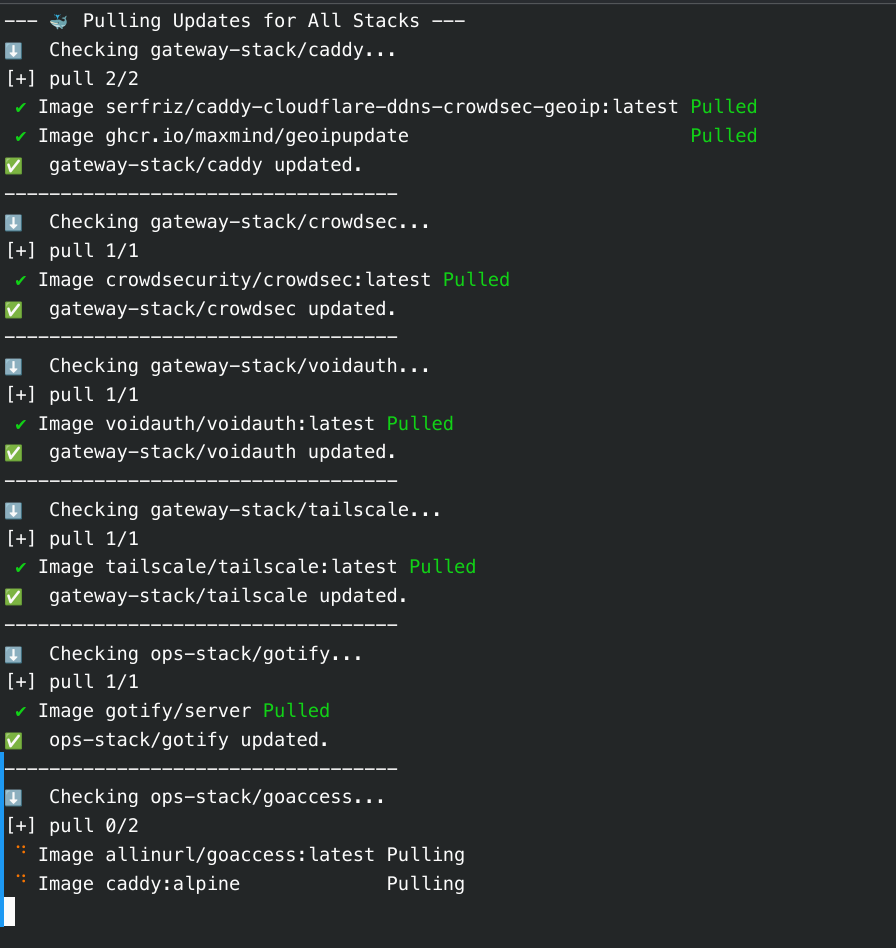
Zero Downtime
Running this script does not restart our containers or cause any downtime. It simply downloads the new images to our local Docker cache. To actually apply the updates, we must run the Recreate All Services script afterward.