📊 Beszel Monitoring (Docker & LVM Setup)
Objective: Deploy a lightweight, low-overhead monitoring solution that securely accesses the Docker daemon via the Socket Proxy and accurately tracks I/O metrics across complex LVM (Logical Volume Manager) partitions.
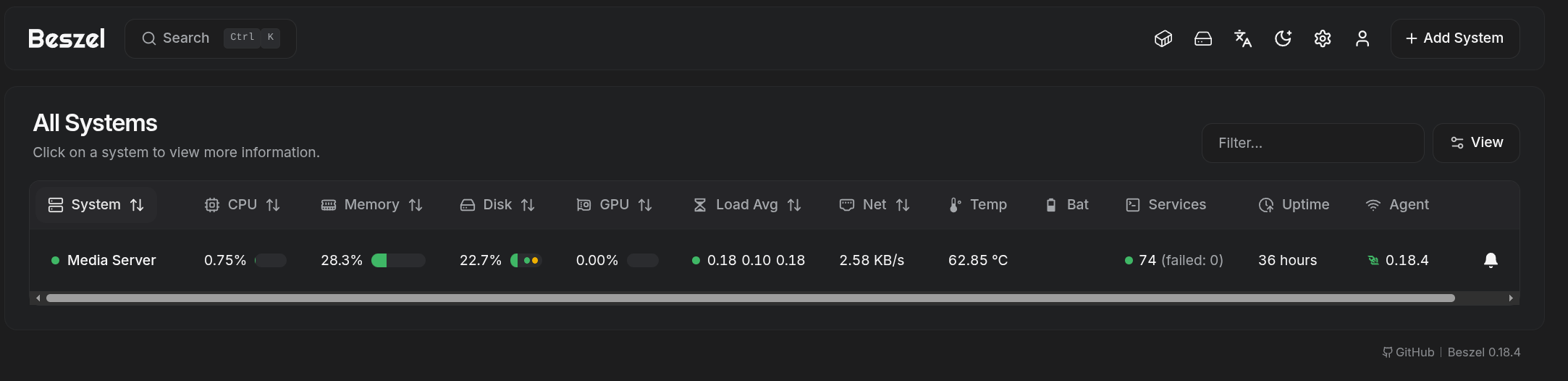
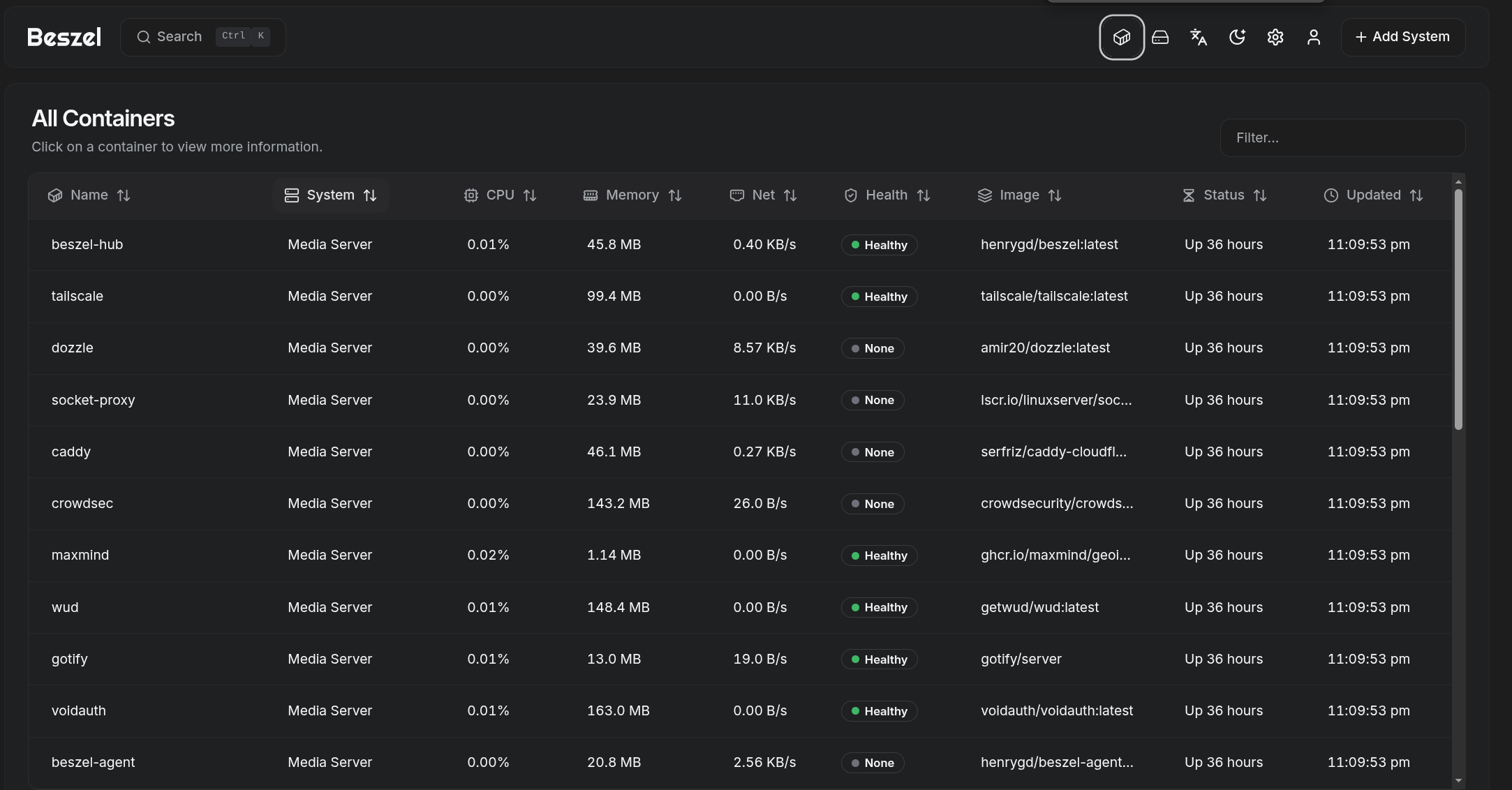
Architecture
- Beszel Hub: The central dashboard and metrics server. Stores historical data in a local volume.
- Beszel Agent: The "stateless" metric collector. It runs in memory (
tmpfs), connects to the Hub via the internal Docker network, and routes Docker API calls through the Socket Proxy.
Docker Compose
##################################################
  # 5. BESZEL HUB (Monitoring Server)
  ##################################################
  beszel-hub:
    image: henrygd/beszel:latest
    container_name: beszel-hub
    hostname: beszel-hub
    networks:
      dockerapps-net:
        ipv4_address: 172.20.0.31
        ipv6_address: fd00:dead:beef:2::31
    ports:
      - 8090:8090
    environment:
      - TZ=${TZ}
    volumes:
      - ./beszel/data:/beszel_data
    healthcheck:
      # Use the built-in health command provided by the Beszel binary
      test: ["CMD", "/beszel", "health", "--url", "http://localhost:8090"]
      interval: 30s
      timeout: 5s
      retries: 3
      start_period: 20s
    restart: unless-stopped

  ##################################################
  # 6. BESZEL AGENT (Metrics Collector)
  ##################################################
  beszel-agent:
    image: henrygd/beszel-agent:latest
    container_name: beszel-agent
    hostname: beszel-agent
    networks:
      dockerapps-net:
        ipv4_address: 172.20.0.32
        ipv6_address: fd00:dead:beef:2::32
    environment:
      - TZ=${TZ}
      - LISTEN=45876
      - KEY=${MEDIASVR_PUBLIC_KEY}
      - TOKEN=${MEDIASVR_TOKEN}
      - HUB_URL=http://172.20.0.31:8090
      # Use socket-proxy
      - DOCKER_HOST=tcp://socket-proxy:2375
      # Make the MAIN Dashboard Gauge track CachyOS OS
      - FILESYSTEM=/dev/nvme1n1p2
    volumes:
      - /etc/localtime:/etc/localtime:ro
      # CachyOS Root directory - to change accordingly for new system
      - /:/extra-filesystems/nvme1n1p2__CachyOS:ro
      # DOCKER APPS (LVM: dm-0) - - to change accordingly for new system
      - /mnt/pool01/homelab/services/.beszel:/extra-filesystems/dm-0__DockerApps:ro
      # MEDIA (LVM: dm-2) - - to change accordingly for new system
      - /mnt/pool01/media/.beszel:/extra-filesystems/dm-2__Media:ro
      # Library (LVM: dm-3) - - to change accordingly for new system
      - /mnt/pool01/library/.beszel:/extra-filesystems/dm-3__Library:ro
      # VM Lab (Crucial SSD)
      #- /mnt/vm_lab:/extra-filesystems/sda5__VM-Lab-SSD:ro
      # Optional - listing systemd services
      - /var/run/dbus/system_bus_socket:/var/run/dbus/system_bus_socket:ro
    tmpfs:
      - /var/lib/beszel-agent
    restart: unless-stopped
    depends_on:
      - socket-proxy
      - beszel-hub
The LVM "Device Mapper"
Standard volume mounting (e.g., mapping /mnt/pool01/media to /media) allows a container to see Disk Usage (available space), but it fails to provide Disk I/O (read/write speeds). This is because the container cannot link the standard mount path back to the underlying kernel hardware device.
The Fix:
Beszel supports a special mount syntax to explicitly map kernel devices to the agent:
/source/path:/extra-filesystems/<KERNEL_DEVICE_ID>__<PRETTY_NAME>
Using lsblk and ls -l /dev/mapper on the host, we identified our LVM mappings:
dockerappsLV maps todm-0mediaLV maps todm-2libraryLV maps todm-3
❯ ls -l /dev/mapper
total 0
drwxr-xr-x  2 root root     140 Feb 21 11:07 ./
drwxr-xr-x 22 root root    5.0K Feb 22 11:45 ../
crw-------  1 root root 10, 236 Feb 21 11:07 control
lrwxrwxrwx  1 root root       7 Feb 21 11:07 vg_pool01-lv_dockerapps -> ../dm-0
lrwxrwxrwx  1 root root       7 Feb 21 11:07 vg_pool01-lv_games -> ../dm-1
lrwxrwxrwx  1 root root       7 Feb 21 11:07 vg_pool01-lv_library -> ../dm-3
lrwxrwxrwx  1 root root       7 Feb 21 11:07 vg_pool01-lv_media -> ../dm-2
Migration & Future-Proofing
If this stack is ever migrated to a new server, or if the server is rebuilt, the dm-X assignments will likely change. Before deploying on a new machine, always run ls -l /dev/mapper to verify the Kernel Device Names and update the compose.yml accordingly.
Deployment Guide
Host Directory Preparation
Create the database directory and empty "anchor" folders on the target drives to allow safe mapping without permission errors.
# 1. Create the Hub data directory
mkdir -p /mnt/pool01/homelab/services/mon-stack/beszel/{data,beszel_agent_data}

# 2. Create hidden anchor folders for the Agent
mkdir -p /mnt/pool01/homelab/services/.beszel
mkdir -p /mnt/pool01/media/.beszel
mkdir -p /mnt/pool01/library/.beszel
Docker Compose Configuration
Add the Hub and Agent to the mon-stack/compose.yml file. Notice how the Agent utilizes the DOCKER_HOST variable to route traffic through our secure proxy, rather than mounting the raw docker.sock.
Alerts Setup (Gotify Integration)
Beszel utilizes the Shoutrrr notification library. Instead of configuring a raw HTTP POST request, we pass a formatted Connection URL.
1. Generate the Gotify Token
- Open the Gotify Web UI (
https://gotify.yourdomain.xyz). - Navigate to Apps > Create Application.
- Name it
Beszeland copy the generated Token (e.g.,A-k9L2...).
2. Configure the Beszel Hub
- Open the Beszel Dashboard and go to Settings > Notifications.
- Click Add Notification.
- Name:
Gotify - URL: Enter the following Shoutrrr schema:
gotify://gotify:80/<PASTE-YOUR-TOKEN-HERE>/?DisableTLS=yes
Understanding the Shoutrrr URL
gotify://tells Beszel to use the Gotify protocol format.gotify:80targets the Gotify container's internal hostname directly over thedockerapps-netnetwork, bypassing the external internet.?DisableTLS=yesis strictly required because internal Docker network traffic uses HTTP, not HTTPS. (If you use your public URL likegotify://gotify.domain.com/TOKEN, omit this flag).
Recommended Alert Thresholds
Navigate to the "System" view (Bell icon) in Beszel to configure when Gotify should alert you.
| Resource | Condition | Duration | Reasoning |
|---|---|---|---|
| Status | Status != Up |
0m |
Immediate alert if the server or agent goes offline. |
| Disk (DockerApps) | Usage > 85% |
0m |
Critical. Clean up images/logs before dm-0 fills up and crashes containers. |
| Disk (Media) | Usage > 90% |
0m |
Media drive (dm-2) is less critical; it can safely run closer to capacity. |
| CPU | Usage > 90% |
10m |
High duration ignores short Jellyfin transcoding spikes; alerts only on hung processes. |
| Memory | Usage > 95% |
5m |
Linux caches RAM aggressively. 90% is often normal operation. |