Anime Custom Formats via Profilarr
Objective: Automate the selection of Anime releases to prioritize English Dubs (Dual Audio)
This guide details how I aim to configure Custom Formats and Quality Profiles within our *Arr apps (managed via Profilarr) to create the Anime fetching logic.
Guide
Create 2 x New Regex Patterns
Adding custom regex-es in Profilarr for the release filenames to identify the audio language
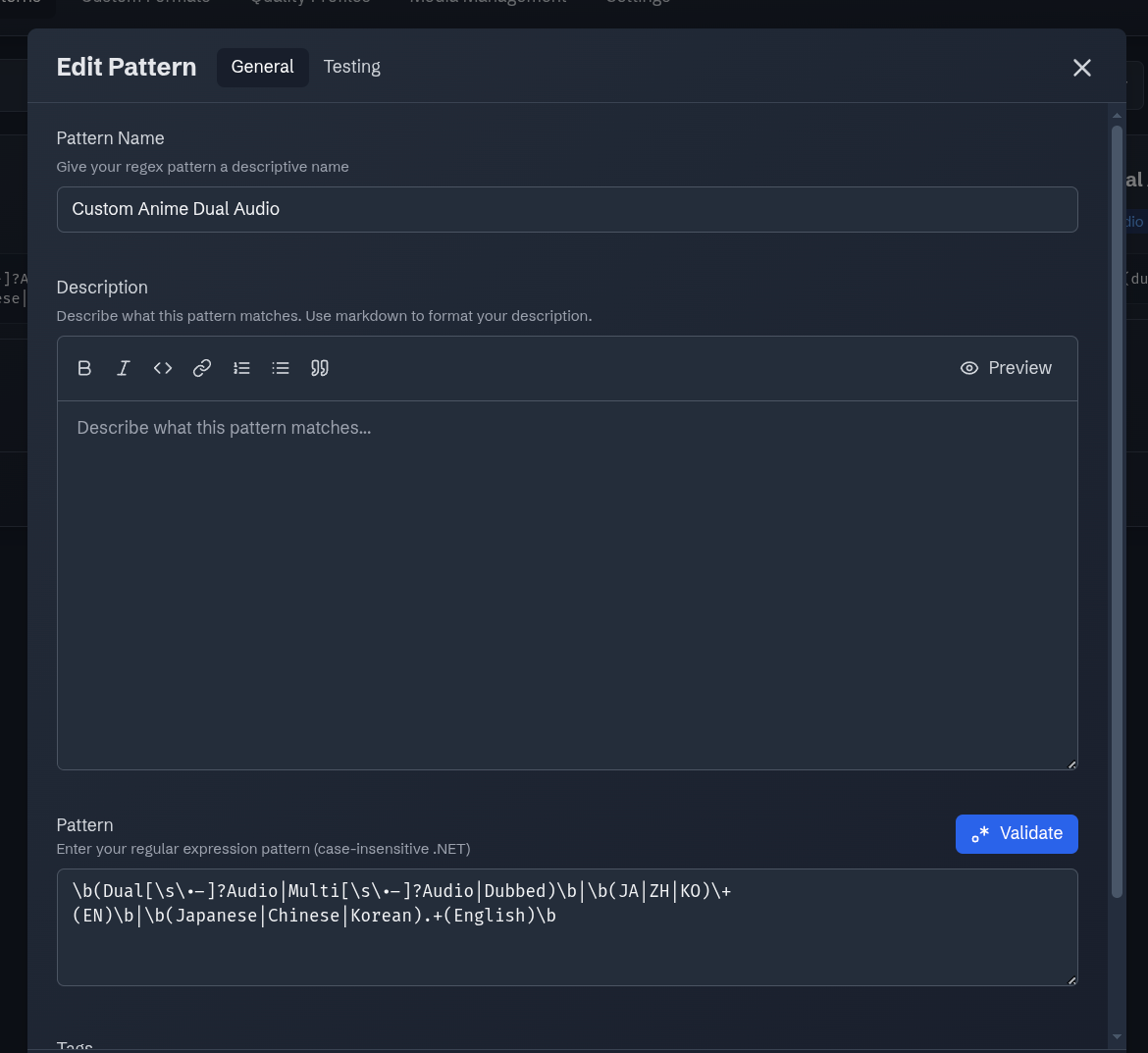
- Name:
Custom Anime Dual Audio - Purpose: Identifies releases that contain English audio (Dubs) alongside the original Japanese/Korean/Chinese track.
- Condition:
Release Titlematches the following Regular Expression:
\b(Dual[\s\.-]?Audio|Multi[\s\.-]?Audio|Dubbed)\b|\b(JA|ZH|KO)\+(EN)\b|\b(Japanese|Chinese|Korean).+(English)\b
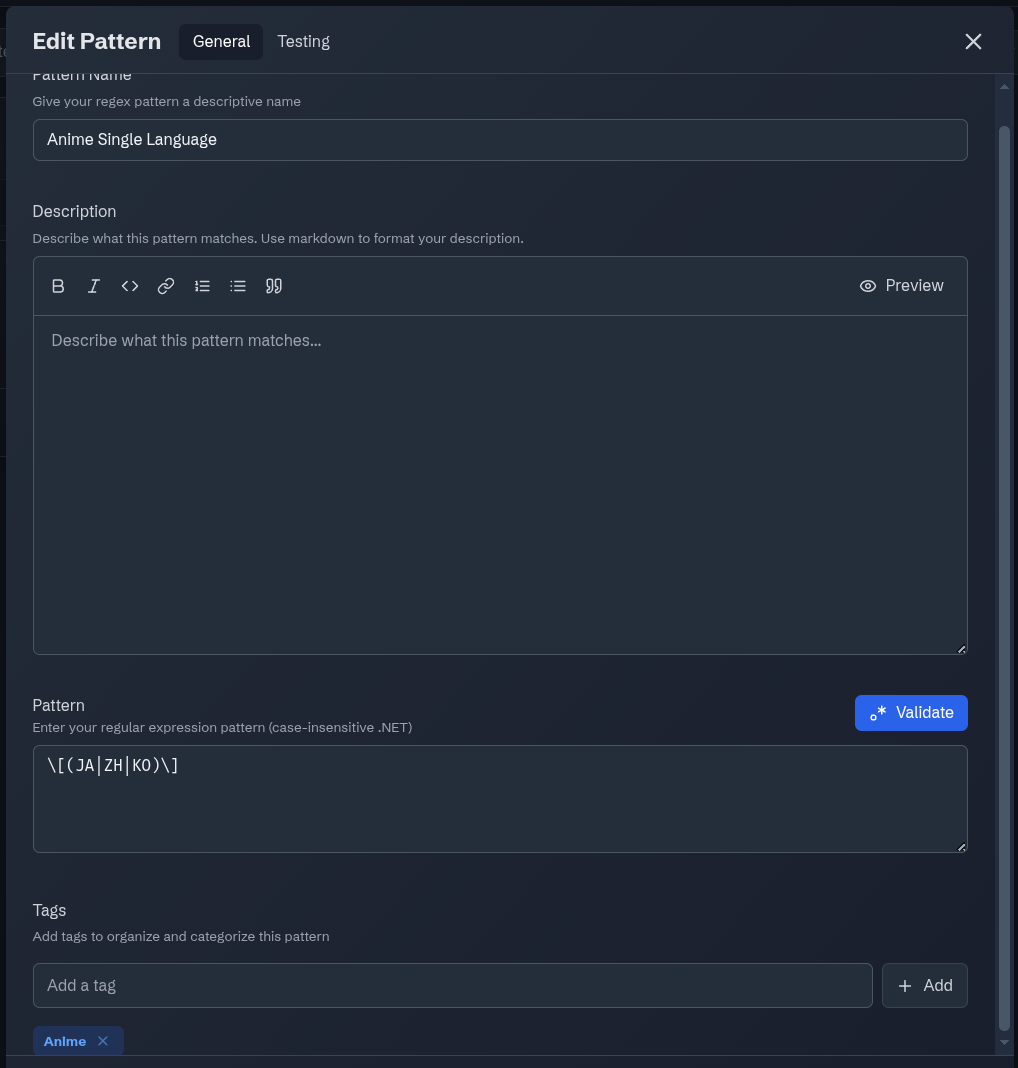
- Name:
Anime Single Language - Purpose: Identifies releases that contain the original Japanese/Korean/Chinese Languange.
- Condition:
Release Titlematches the following Regular Expression:
\[(JA|ZH|KO)\]
Create New Custom Format
Navigate to Custom Formats -> "Add New Format"
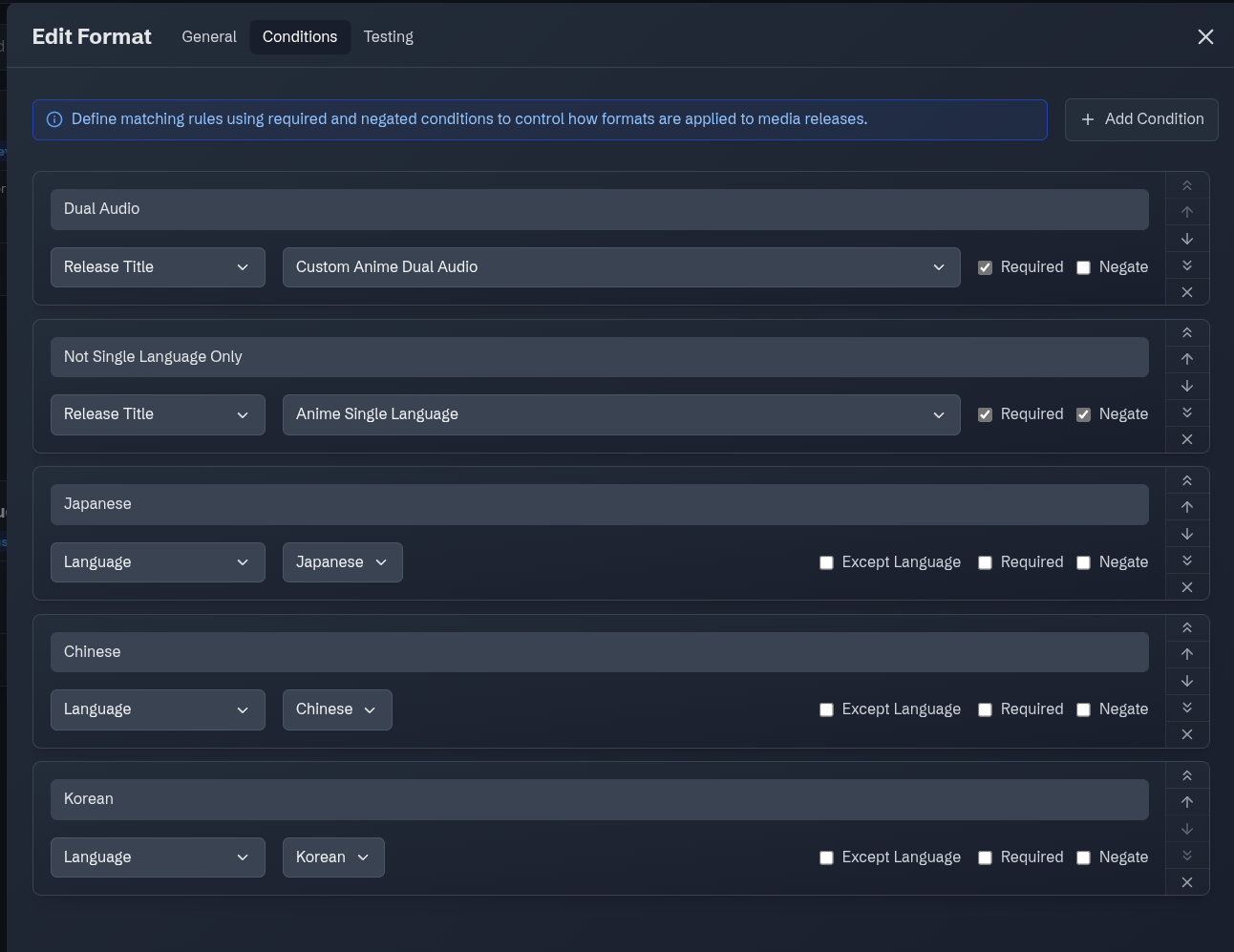
- Name:
My Custom Anime CF - Condition: like so
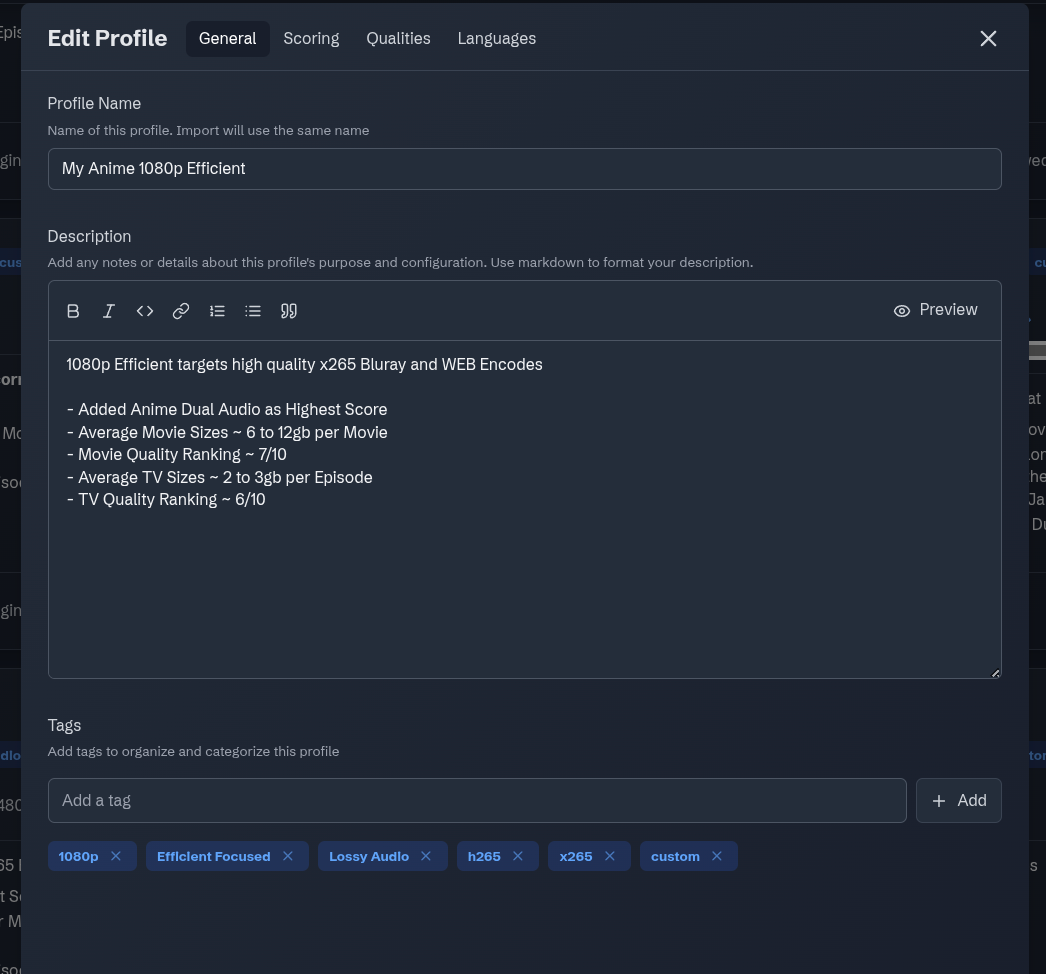
Custom Quality Profile
-
Clone an existing high-quality profile (e.g.,
1080p Efficient) and rename it toMy Anime 1080p Efficient. -
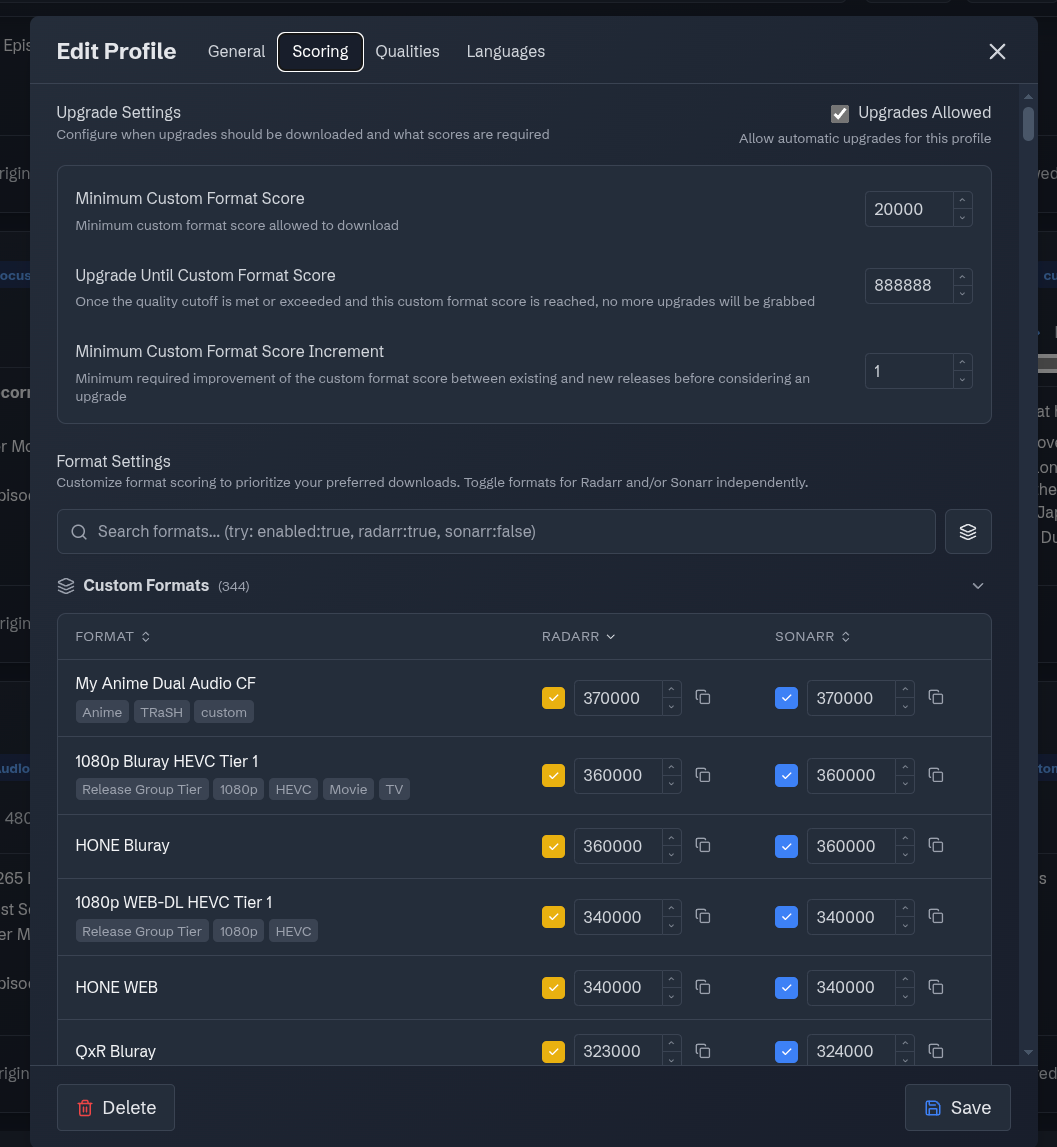
Add the Custom Anime CF as highest score
Indexer Optimization
We prioritize dedicated public Anime trackers over at Prowlarr/Jackett side.
Navigate to Settings > Indexers
- Nyaa (via Prowlarr): Set Priority to
1(Highest).
The Tie-Breaker
If two releases have the exact same Custom Format score (e.g., both are 370,000 points), Radarr/Sonarr will look at the Indexer Priority. By setting Nyaa to 1, the system will always grab the file from the dedicated Anime tracker, which usually has better seeding and subtitles.
Sync Up to Radarr/Sonarr & Seerr
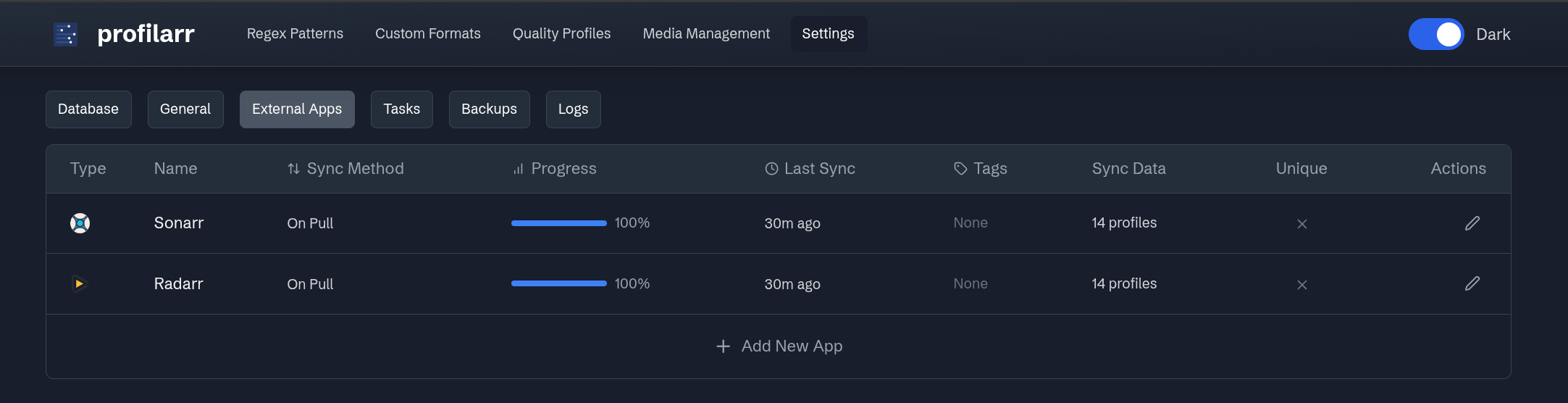
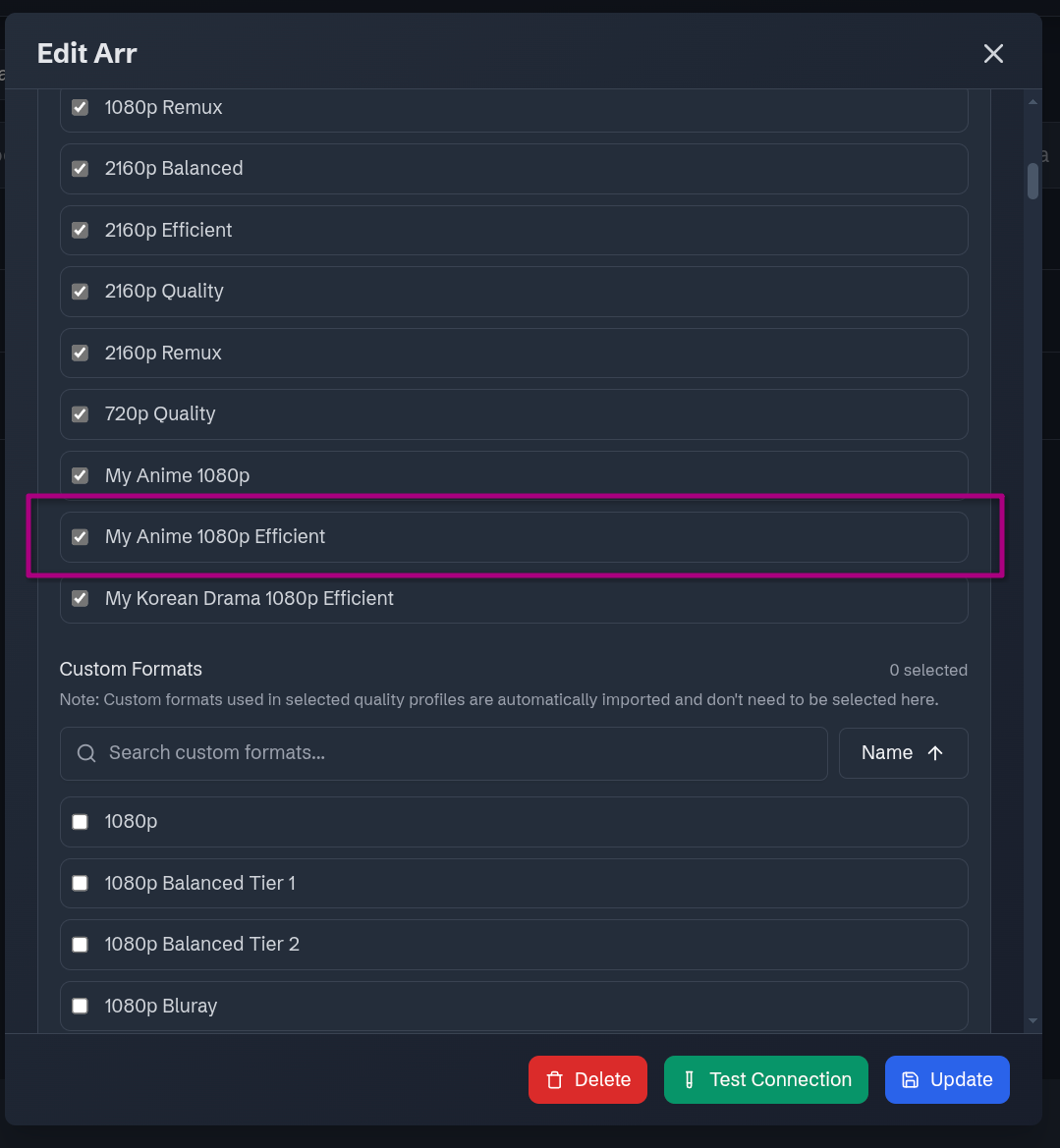
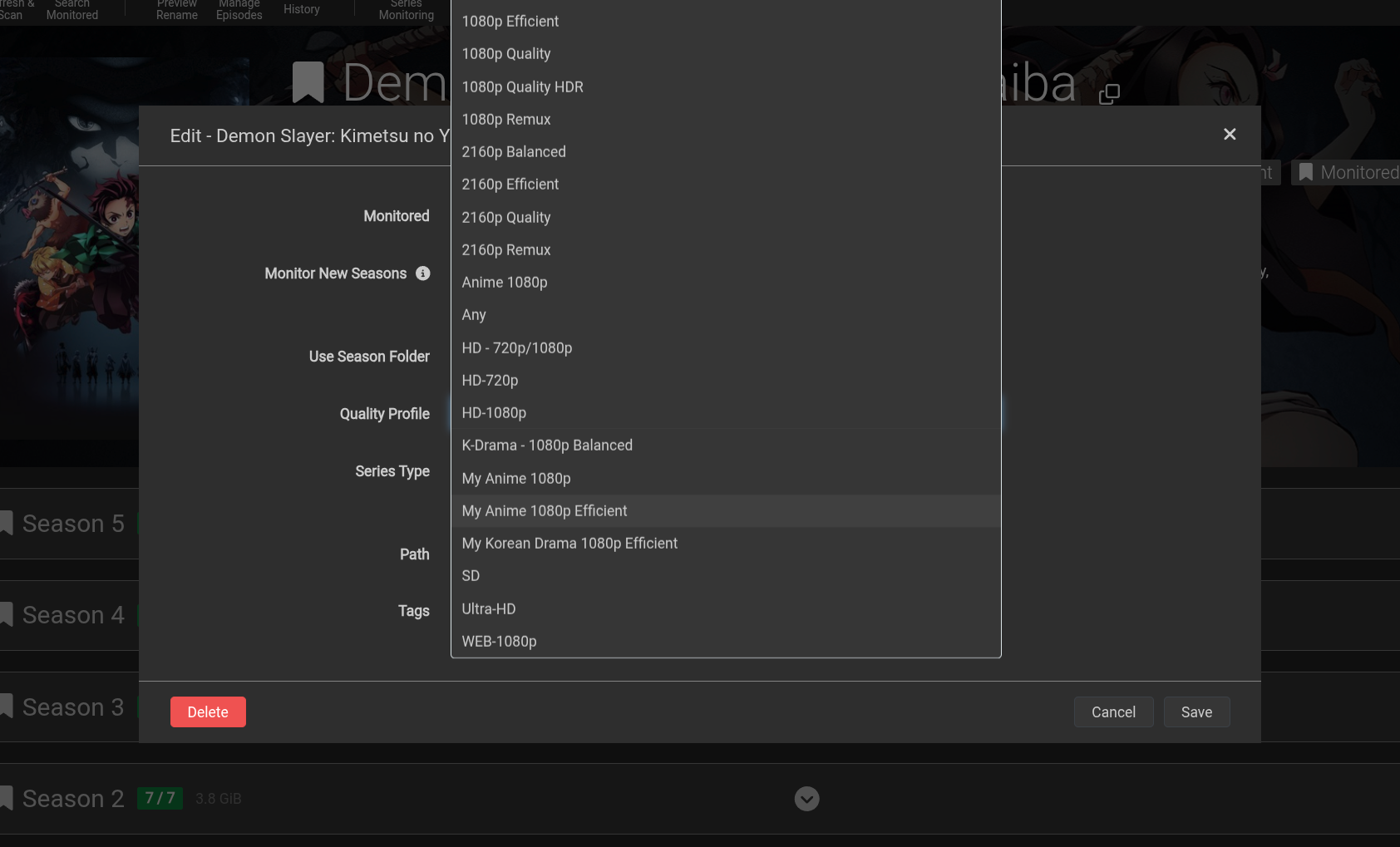
Once done, assuming we have done the Profilarr set up/integration with Radarr/Sonarr properly, we can now sync up to see the custom Quality Profile to select over at Radarr/Sonarr side.
Ensure the new Quality Profile is selected before Updating/Sync.
At Profilarr:
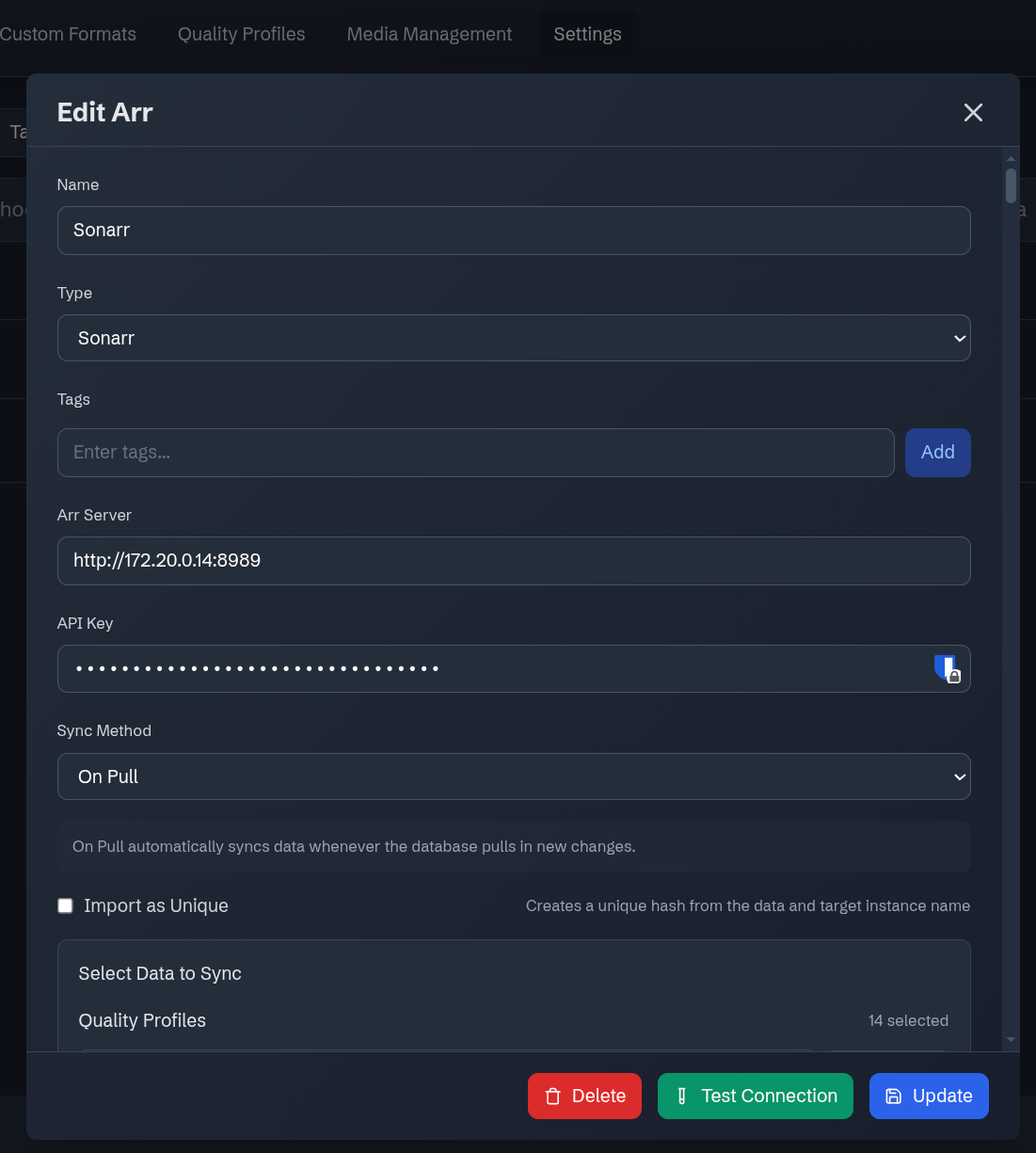
At Sonarr/Radarr:
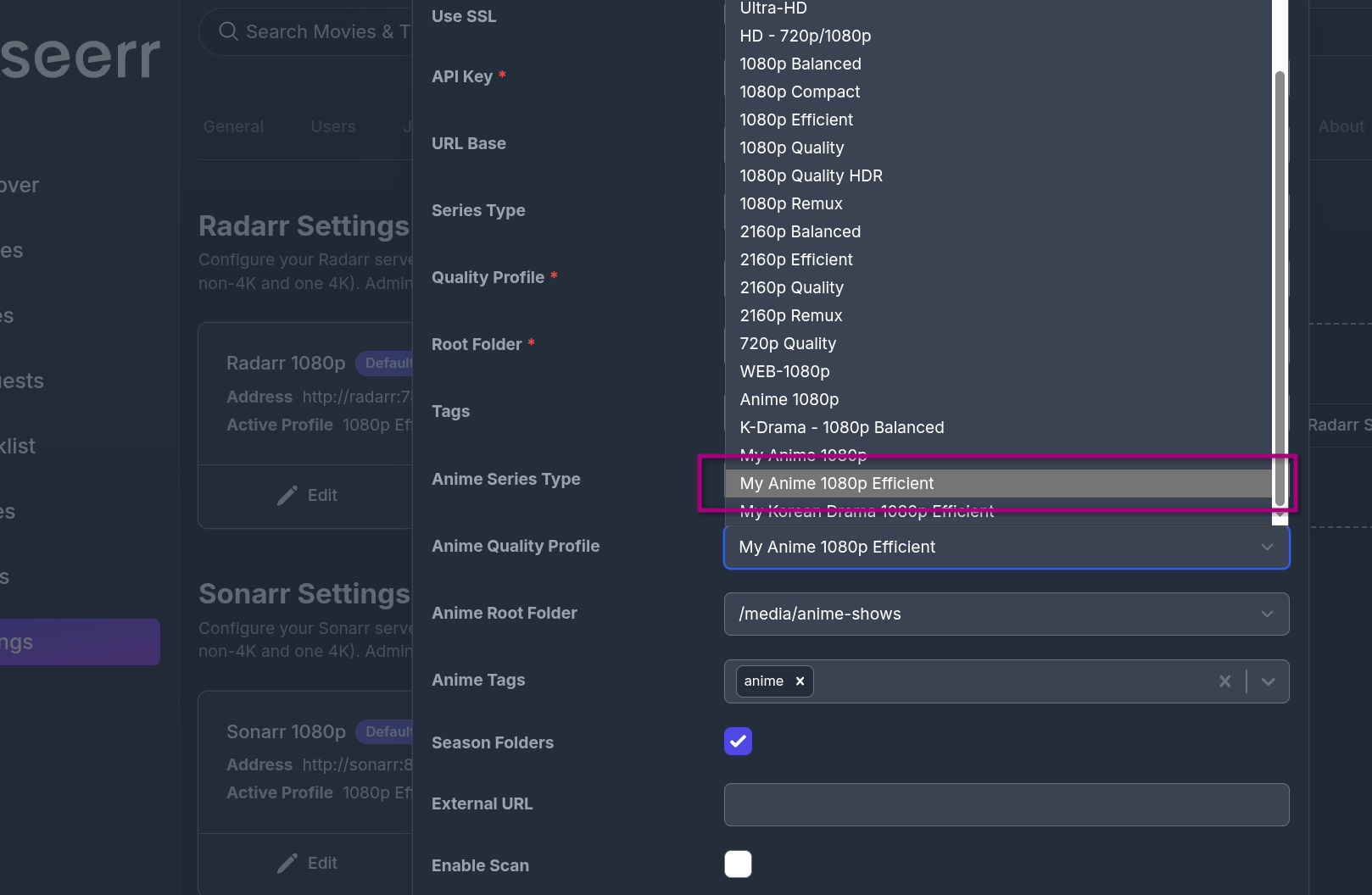
At Seerr/Requesting:
Assuming we have done the initial Seerr x Radarr/Sonarr setup/integration properly, the Quality Profile is also ready for selection and automation: